

Cancelling Audible takes about three minutes once you know where the option hides, and every audiobook you have bought stays yours. Two things are worth knowing before you start: the cancel button lives on the website, not in the app, and Audible deletes any unspent credits the moment your cancellation takes effect. This guide walks the exact route on audible.co.uk as of July 2026, step by step, along with the pause option Audible only shows you on the way out.
Before you cancel: two quick checks
First, spend any remaining credits. They are worth a full audiobook each, whatever its cash price, and they are deleted when the cancellation takes effect, with no refund. Your credit balance sits under Credit summary on your account page, so check it before you do anything else.
Second, decide whether you actually want to cancel or merely stop paying for a while. Audible offers a pause of up to 3 months during the cancellation flow: no payments, and your credits survive it. If this is a busy patch rather than a goodbye, the pause is usually the smarter move, because credits do not survive a full cancellation.
Cancelling from a desktop browser
The whole flow takes five short steps. Audible will show you a couple of retention offers along the way, which you are free to decline.
Step 1: Sign in at audible.co.uk
Open audible.co.uk in a desktop browser and sign in with the Amazon account that pays for the membership. The Audible app cannot cancel for you, so the website is the only route. Once you are signed in, the account menu in the header greets you by name, which is how you know you are in the right account.
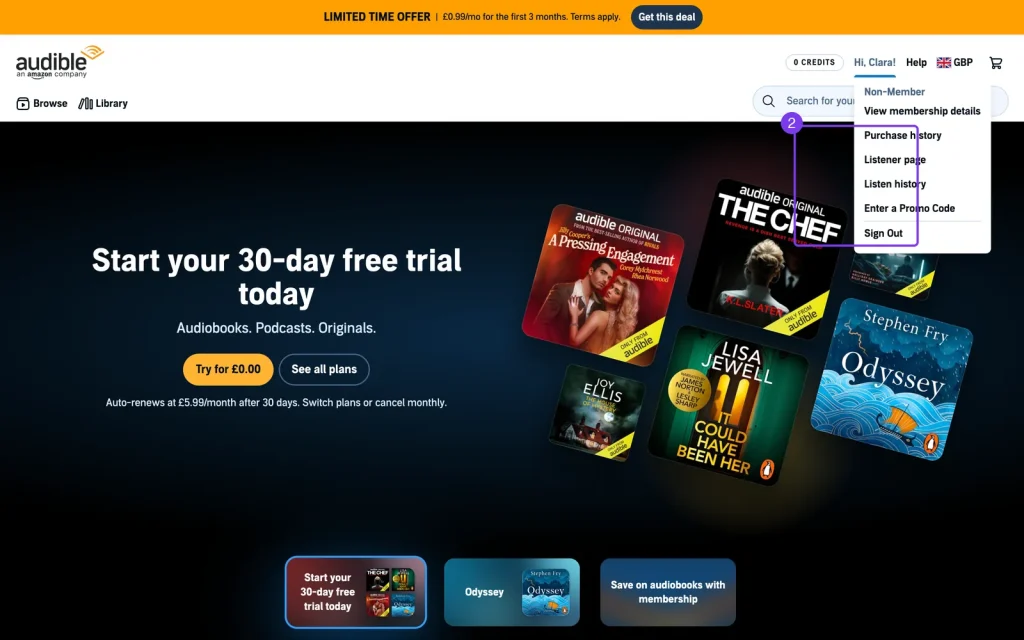
Step 2: Open the account menu and View membership details
Click that account menu and a dropdown appears listing View membership details, Purchase history, Listener page, Enter a Promo Code and Sign Out. Choose View membership details. This opens your account overview, a page headed with your name, with a menu down the left running from View membership details and Credit summary through to Purchase history and Gift history. Incidentally, this is also the page where a lapsed account reads “You’re not currently a member” alongside “You have 0 Credits”, so it doubles as proof that a past cancellation went through.
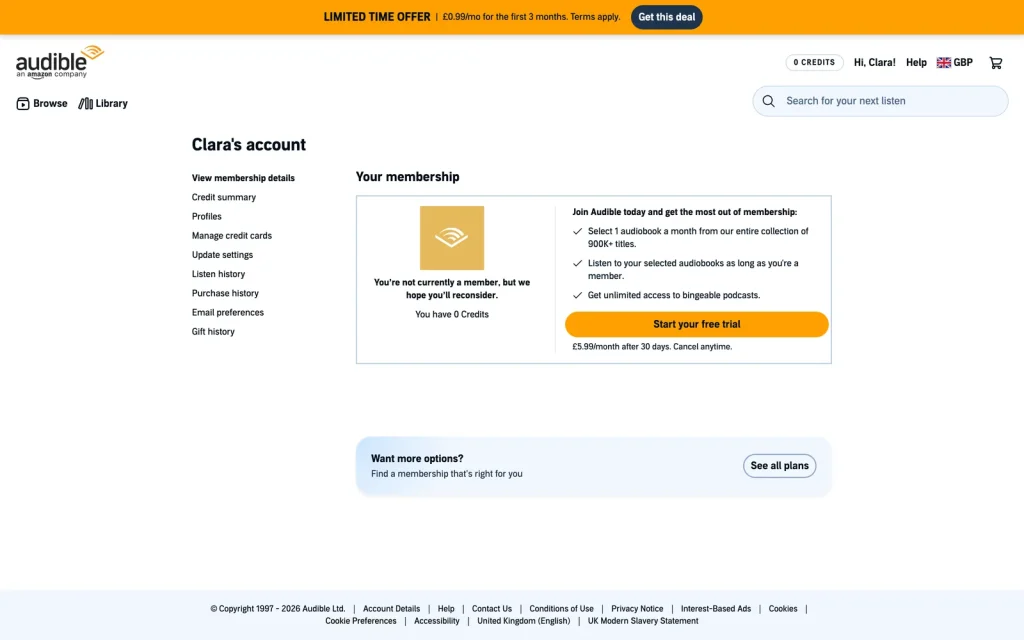
Step 3: Find Cancel membership under the membership summary
The membership details page shows a summary box with your plan, renewal date and payment method. The Cancel membership link sits at the bottom of that box, in modest text rather than a bold button, which is why so many people hunt for it. Click it to start the cancellation flow.
Step 4: Review the alternatives Audible offers
Audible first asks a short survey question about why you are leaving, then presents alternatives: pausing your membership for up to 3 months, moving to a cheaper plan, or a bonus offer for staying. None of these are tricks, and the pause is genuinely useful because your credits stay alive through it. If you still want out, decline the offers and continue.
Step 5: Confirm on the final screen
The final screen spells out what you are giving up and asks you to confirm. Click through and the cancellation is booked: you receive a confirmation email, and your membership runs to the end of the period you have already paid for, so keep listening until then. Nothing you have purchased is touched.
On mobile
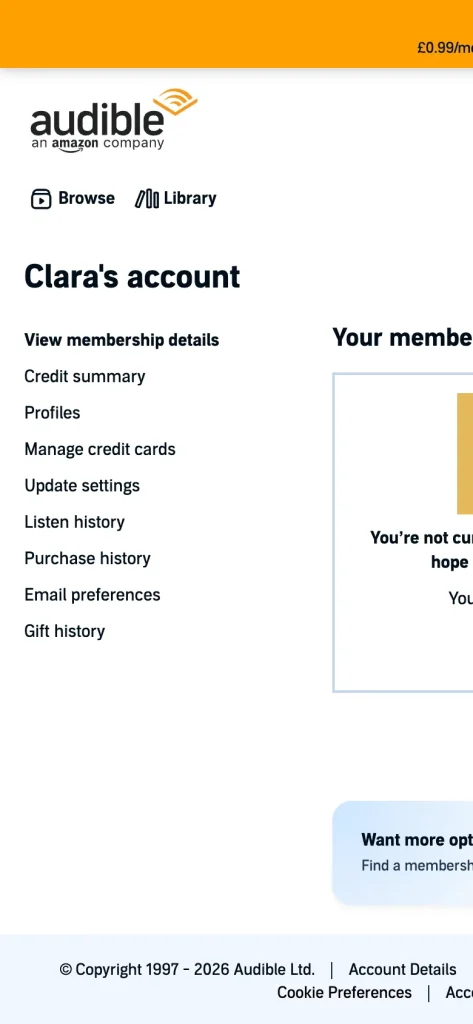
There is no cancel button anywhere in the Audible app, on iPhone or Android. On a phone, open audible.co.uk in your browser and sign in; the account page works perfectly well on a small screen, and if any membership option refuses to appear, request the desktop site from your browser menu and follow the five steps above.
One exception: if you subscribed through Apple and the payment goes through your Apple ID, the Audible website cannot end the billing. Cancel from your iPhone’s Settings instead, under your Apple ID subscriptions, and the membership winds down the same way.
What you keep, what you lose
- You keep: every audiobook bought with credits or cash, forever, re-downloadable at any time, plus your wish list, reviews and listening history.
- You lose: unspent credits, access to the Plus Catalogue, and member pricing on sales.
- Standard plan note: monthly selections made on the Standard plan were only ever yours while the membership lasted, so they leave with it. Credit purchases on Premium Plus are unaffected.
If that Standard versus Premium Plus distinction is news to you, our plain-English guide to how Audible works explains the two plans properly. The order of operations is the thing to remember: credits first, cancellation second.
If you get stuck: the official help centre
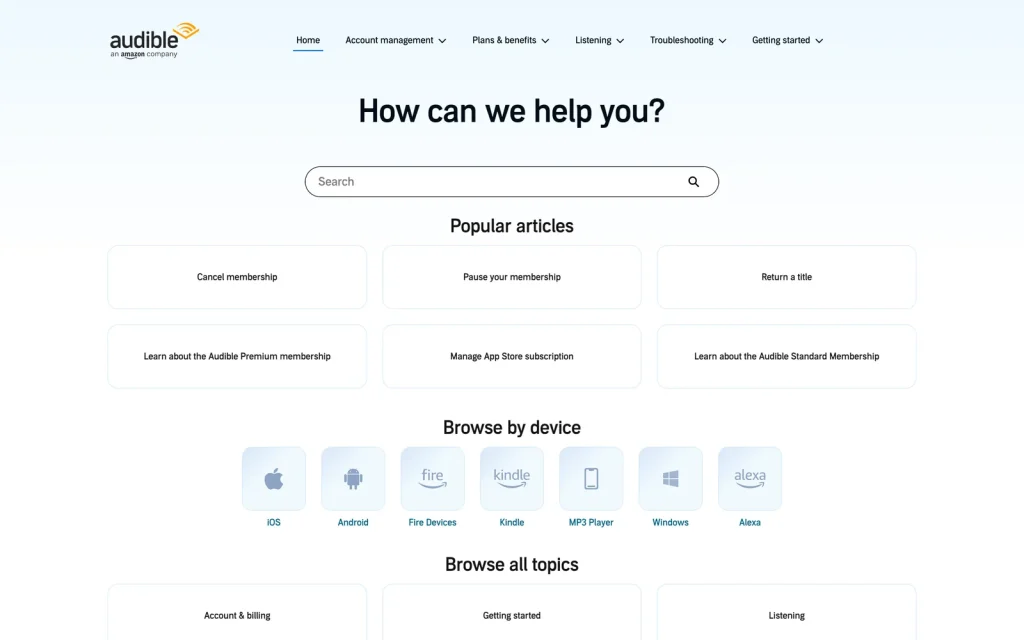
When an account does something unusual, Audible’s own help centre at help.audible.co.uk is genuinely good. “Cancel membership” and “Pause your membership” both sit among the popular articles on its front page, and you can browse help by device, with dedicated sections for iOS, Android, Fire tablets, Kindle, Windows and Alexa. The contact options there will reach a human if the self-service route fails.
Coming back later
Cancelling Audible is genuinely low-risk. Your library, wish list and listening progress all survive indefinitely, and Audible regularly emails former members win-back offers at reduced prices, so leaving for a season often costs nothing but the wait. If price drove the decision, our comparison of UK audiobook offers lists cheaper ways to keep listening, and the free audiobooks guide covers the routes that cost nothing at all.
Frequently asked questions
Do I keep my audiobooks if I cancel?
Yes. Everything you bought with credits or cash stays in your library forever and can be downloaded again at any time. The exceptions are Plus Catalogue titles, which are streaming only, and monthly selections made on the Standard plan, which remain listenable only while your membership is active.
What happens to unused credits?
They are deleted when the cancellation takes effect, with no refund. They survive a pause of up to 3 months, so either spend them before confirming or pause instead.
Can I cancel from the Audible app?
No. The app has no cancellation option on iPhone or Android. Use the audible.co.uk website in a browser, or if you subscribed through Apple, end the subscription from your Apple ID settings.
Is pausing better than cancelling?
Often, yes. A pause stops payments for up to 3 months, keeps your credits alive and keeps your account settings intact. Cancel outright if you are sure you will not return soon; pause if it is just a crowded couple of months.